QR-phishing: the dangers and how to prevent it
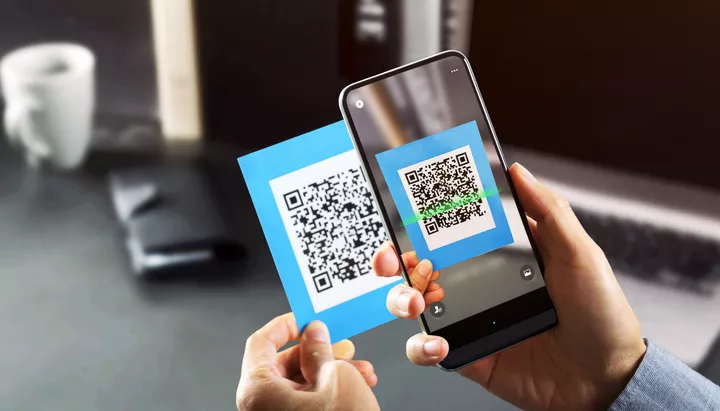
Scanning a QR code to pay for parking, order a cappuccino, or settle an invoice. Nothing suspicious about that, right? We scan QR codes all the time without thinking twice. And it makes sense: they’re convenient and usually found in logical places. Unfortunately, cybercriminals have caught on to this habit, and QR codes are increasingly being forged and exploited for phishing attacks.
QR phishing, also known as quishing, is a scam in which cybercriminals create malicious QR codes to trick people and steal their data. This form of fraud is growing rapidly because generating and distributing QR codes is incredibly easy.
A cybercriminal creates a QR code and links it to a fake website, a fraudulent payment page, or a malicious file. The code is then shared, for example printed as a sticker and placed in public areas, included in a fake invoice, or attached to a phishing email. These scams often appear in places where convenience and curiosity tend to outweigh caution.
That depends on the type of code. Some link to fake forms or fraudulent payment pages. This is risky, but usually harmless as long as you don’t enter personal information, click any buttons, or make a payment.
Others are far more dangerous: they install malware as soon as the code is scanned. If you encounter a QR code embedded with a virus or self-installing malware, scanning it is all it takes to compromise your device.
QR phishing is harder to detect than traditional phishing. With emails, you can hover over a link to see where it leads. With QR codes, the source is invisible until you scan it. Smartphones only show a preview of the URL afterwards, so look carefully at what appears:
Research shows that phishing emails containing QR codes are just as effective as traditional phishing messages. This is worrying, as QR-based phishing is harder to recognise. That’s because quishing:
While current technologies aren’t yet foolproof against large-scale QR phishing, there are several effective steps you can take:
1. Technical security measures
Implement automated defences that help detect and block the misuse of malicious QR codes, a key recommendation from recent research.
2. Security awareness training
Include QR phishing as part of your security awareness programme. This helps employees understand the threat, recognise warning signs, and know what to do if they encounter suspicious QR codes.
3. Think before you scan
Is there an urgent message or too-good-to-be-true offer next to the code? Be cautious: these are classic tricks to prompt a quick scan. Ask yourself: does the context make sense? If you find a QR code in an unusual place or from an unknown source, don’t scan it.
4. Always check the URL
After scanning, inspect the link preview your phone displays. If you’ve already landed on the page, verify the URL before doing anything else. When in doubt, confirm the code’s legitimacy directly with the person or organisation that shared it, spoofing is a common trick.
5. Handle data and payments with care
Never share personal information or make payments unless you’re certain the source is trustworthy. When possible, verify through a third party such as the sender, the organisation, or a colleague.
Scanning a QR code to pay for parking, order a cappuccino, or pay an invoice — nothing suspicious about that, right? We scan QR codes constantly, often without a second thought. It’s understandable: they’re convenient and usually placed in logical spots. Unfortunately, cybercriminals are taking advantage of that trust. Fake QR codes are becoming more common and are being used as a tool for phishing attacks.
Want to test your team’s awareness of QR phishing in a safe, controlled environment? With tracker phishing, you can add a new dimension to your phishing simulations. It gives you insight into user behaviour across different channels, not just email.
Using Awaretrain’s tracker phishing feature, you can create safe, custom QR codes to distribute across various touchpoints: posters, stickers, or emails. When someone scans the code, they’re taken to a secure landing page with pre-set tips and insights. Sometimes, the most effective learning happens through experience.
Explore this feature in your platform under Phishing > Tracker Campaigns, and monitor the results via Reports > Tracker Reports.
No Awaretrain account yet? Try it free for 28 days.
Follow up your simulation with targeted security awareness training to maximise the impact of your campaign. Our extensive content library includes over 70 modules including a five-minute Security Snack on QR phishing. This quick session teaches your colleagues what QR phishing is, how it works, and how to spot it.
And remember: QR phishing is just one of many cyber risks your employees face. Keep your teams sharp with regular training sessions and phishing simulations.
Need support? Our team of security awareness experts is here to help.

Training modules
Customers worldwide
Employees trained

Step aboard and build lasting security awareness with Awaretrain.